Equalizers
Three ways to shape sound in SHIKARDOS. Choose an equalizer: its screen, buttons and every control are explained here.
Graphic equalizer
Adjust bass, midrange and treble with individual sliders. Choose 10, 15 or 31 bands.
How to open and adjust it →Parametric equalizer
Precise control of selected frequencies: where to change the sound, by how much and over how wide a range.
How to open and adjust it →ORBITAL equalizer
Shape sound with one point: bass foundation, density, voice, treble and soundstage width.
How to open and adjust it →How to enable an equalizer in the player
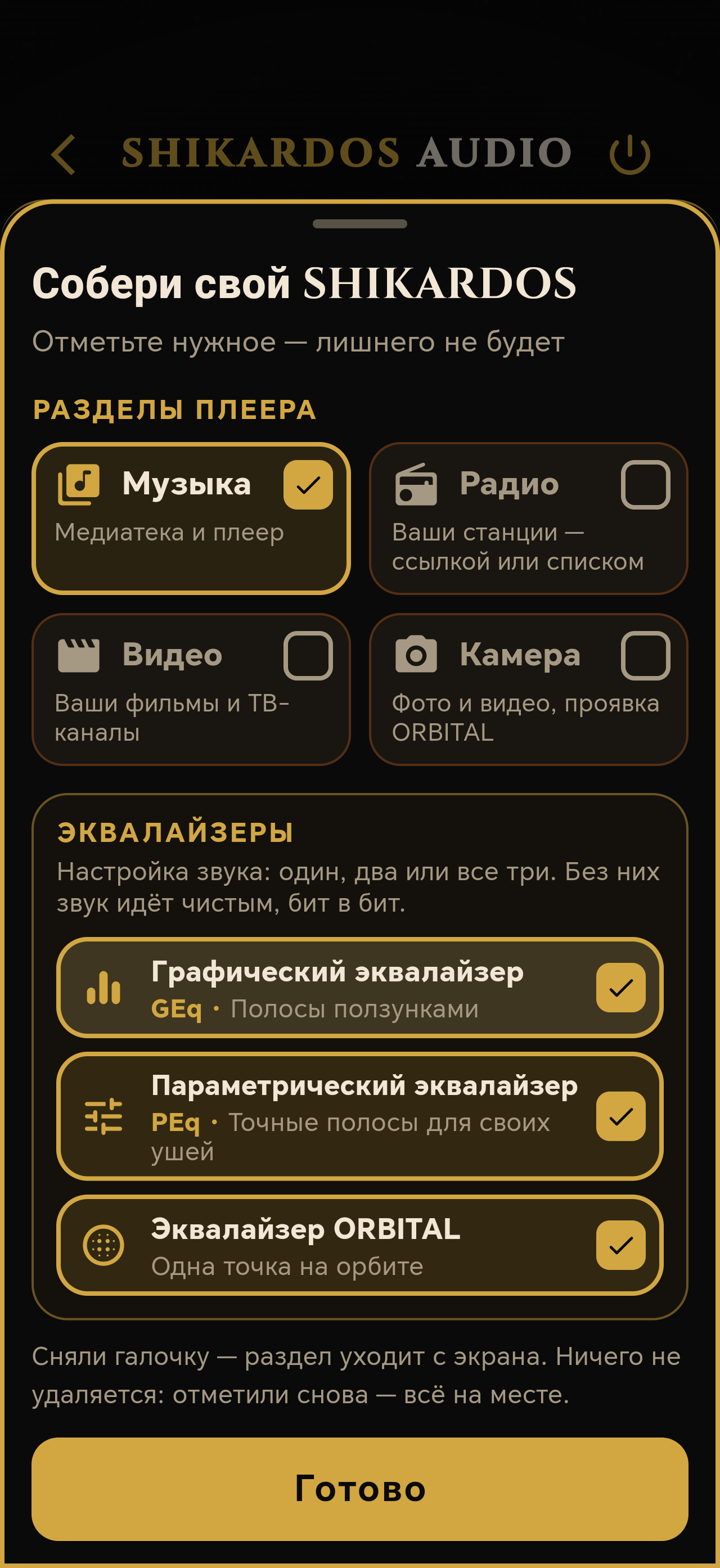
- On your phone or tablet, open Settings → Build your SHIKARDOS. In the “Equalizers” section, select Graphic, Parametric or ORBITAL. Tap “Done”.
- Open EQ. At the top of its screen, select GEq, PEq or ORBITAL. If your build contains only one equalizer, the selector may be hidden.
- Play a song. If you see “Apply equalizer”,tap that button. In a narrow layout, it may appear as a droplet.
- Choose a setting using the instructions below and make small adjustments. Only one applied equalizer processes sound at a time. Each keeps its own settings.
The checkbox-based build is available in the Phone and Tablet Editions. Sections are arranged differently on other devices: choose your device and interface.
Bass, treble, width and other settings
Equalizers have separate tools in addition to frequency bands and the ORBITAL point. Select a name for a full explanation and the location of its button in the player.
How to compare with the original sound
Tap the large EQ letters at the top of the equalizer screen EQto temporarily bypass processing. Tap again to restore it. This is a processed/unprocessed comparison, called “CLEAN” in other views.
The control positions are preserved. Listen to the same passage at the same volume. Do not use reset if you only want to compare the sound.
How to reset settings
The circular-arrow button resets sound settings. Read the confirmation and proceed only if you want to start again. Save complex settings beforehand.
GEq also has a separate “RESET” above its bands. Resetting bands and resetting the entire active sound section are different actions.
If the slider moves but the sound does not change
Check the selected equalizer, the EQ letters and the tool's own switch. The detailed checklist covers each case.
Find out why an effect cannot be heard →